See their screen. Fix it together. No extra tool.
Remote View is built into KaosDesk. Start a session on any enrolled Windows PC right from its Device workspace. The user always sees the request on their screen first.
How a session works
- 1
Open the device
From the ticket's linked device or the fleet list, go to its Device workspace and open Remote View.
- 2
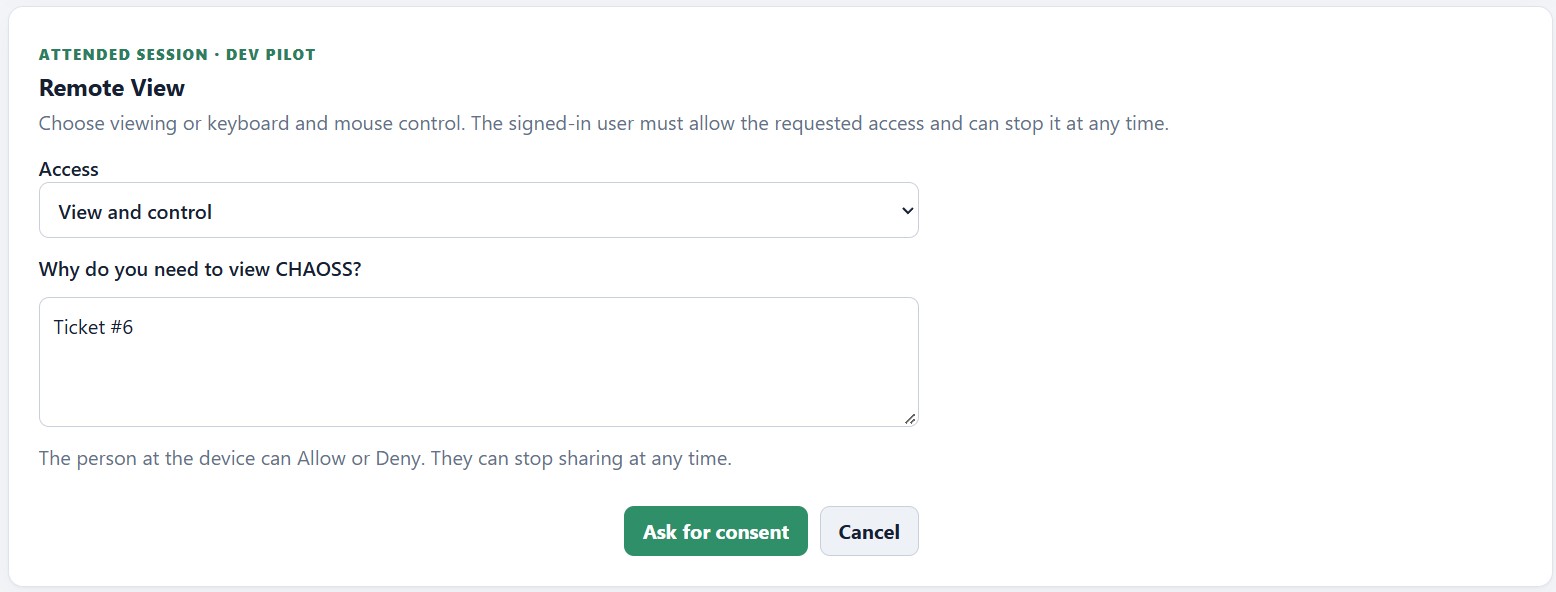
Choose the access
View only, or view and control with keyboard and mouse. Say why, like the ticket number.
- 3
The user decides
The person signed in to the PC sees the request and can allow or deny it. For PCs where no one may be around, an admin can turn on a countdown that connects if the request isn't declined. It's off by default.
- 4
Work, then hand it back
Fix the problem together. The user can stop sharing at any moment.
Safe enough for a school. Simple enough for a busy day.
Remote access is powerful, so KaosDesk keeps the user informed and your organization in control of the rules.
The user always knows
Every session request appears on the user's screen. They can allow it or decline it.
Stop any time
The user can end sharing whenever they want, no questions asked.
A reason on record
Every request says why, so sessions tie back to the ticket they were for.
Your rules
Requests wait for the user's answer by default. An admin can choose to turn on a countdown that connects when no one declines.
One less tool to buy, learn, and log in to.
The ticket, the device, the software, and the remote session, all in KaosDesk.